Technology, Dev Diary
Cardiac King 1.4
Hanafuda Cards
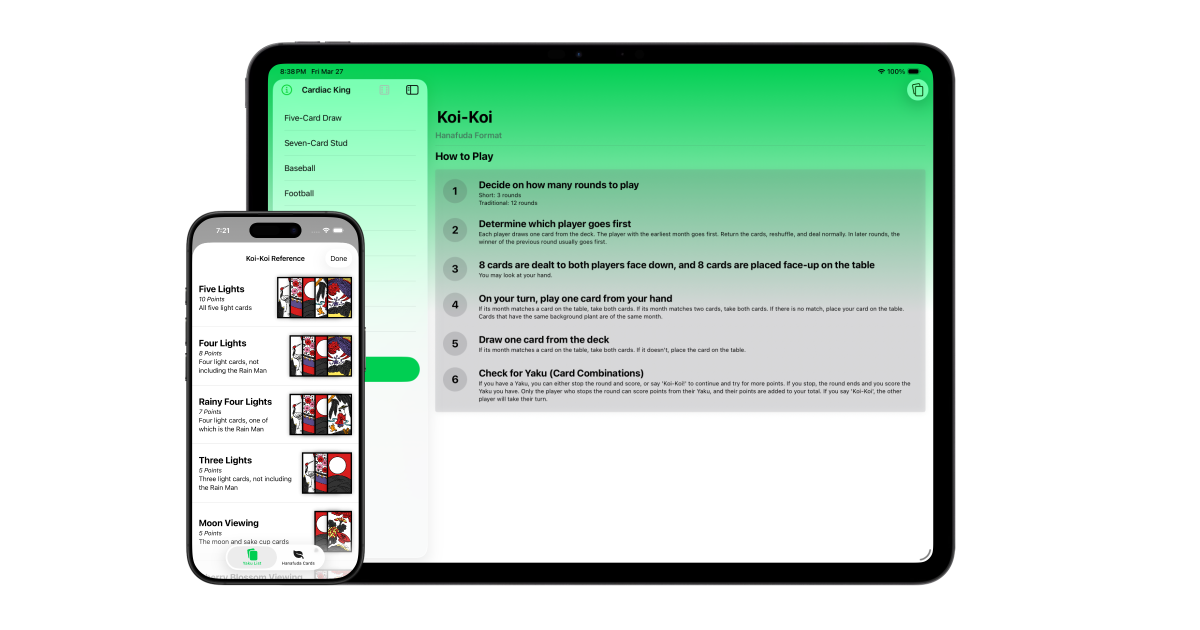
Cardiac King 1.4 has been released, so here’s a rundown of what’s been added and the rationale behind it.
Hanafuda Cards
Some time after releasing the first version of Cardiac King, I thought it would be fun to add more card types beyond the standard 52. Though simple, I had a lot of fun designing the standard cards in SwiftUI. They even had a special variant for watchOS. But they didn’t allow for much expression, because they were rendered based on rank and suit, rather than a pre-rendered image. This meant cards that relied on imagery were out of the question without major refactoring. I decided to change this by adding Hanafuda, Japanese cards from a game I knew nothing about.
The first step was refactoring my existing codebase to rename my Card struct into StandardPlayingCard. Adding Hanafuda cards would make Card ambiguous. In addition, it lets me create a protocol named Card that StandardPlayingCard and HanafudaCard could both conform to. This helps out with polymorphic operations involving any type of Card, like rendering card stacks.
Hanafuda cards aren’t as easy to understand as the standard 52 deck. For example, you can be assured that every card of rank 7 has a corresponding card for each of the four suits. Hanafuda doesn’t work this way. The closest equivalent to suits is months. But not all months are equal.
As a result, I ultimately used Swift’s optional typing to assist with modeling Hanafuda cards. A StandardPlayingCard is never optional, because every combination of suit and rank resolves to a valid card. But there is no light card for the month of February. So I force unwrap these values (using the ! operator) for any hardcoded Hanafuda cards that I can guarantee represents a valid Hanafuda card.
validHanafudaCard = HanafudaCard(month: .january, type: .hikari)!
invalidHanafudaCard = HanafudaCard(month: .february, type: .hikari) // Resolves to nil

validStandardPlayingCard = StandardPlayingCard(rank: .king, suit: .heart)
With the model in place, I could now work on adding in the visuals. Since the card designs have been around for centuries, they were in the public domain. Originally, I thought that I might have to make my own Hanafuda vector graphics by painstakingly recreating them one-by-one. After all, I had made my own Hanafuda cards at the Nintendo Museum last year, so I have an appreciation for the craft that goes into making these. But then I found that two artists, Louie Mantia and すけじょ, had already done so and released them under a permissible license that would allow me to use their designs in Cardiac King. It’s great that someone took up the task of recreating all 48 cards in SVG and released them for use.
Next, I had to design a reference for Koi-Koi. This isn’t as simple as the poker hand reference because Koi-Koi generally requires two references: the “Yaku List” (similar to a poker hands list) and a reference for the cards themselves. This second reference exists because Hanafuda cards are matched by month, not suit. Each month has a plant design that isn’t obvious at first glance, especially for new players. The two reference views are split across a TabView. Special consideration had to be given to both memory and screen real estate for these views.
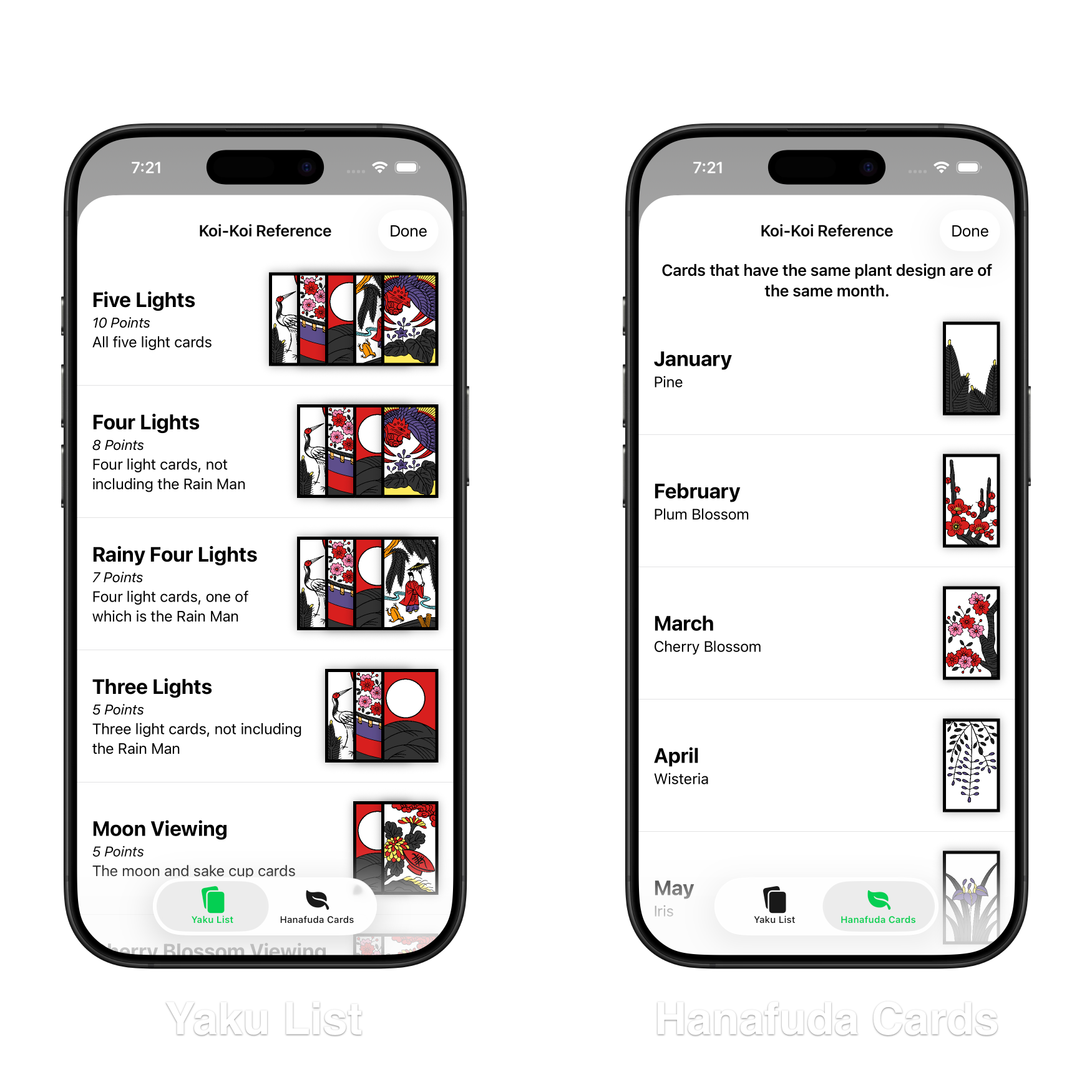
Finally, there’s actually learning the game. This was probably the most daunting task, as I remember trying Hanafuda a few years ago on the Nintendo Switch. It was a game mode within Clubhouse Games: 51 Worldwide Classics. After playing a few rounds and doing some research, I wrote a simple guide describing how the game is played.
Relevant Reference Views
Now with Hanafuda in Cardiac King, a poker hand reference isn’t necessarily relevant to each game. In fact, this has been the case since version 1.0. Games like 727, High Card, and Egyptian Ratscrew don’t require a poker hand reference at all. To keep things clear, only games that have a relevant reference, like Five-Card Draw and Koi-Koi, will display the option to display a reference.
visionOS Game Picker
Cardiac King for iOS received the game picker functionality in version 1.1, but a visual bug prevented adding it to the visionOS version of the app. That is no longer the case in version 1.4 and visionOS once again has feature parity with iOS.
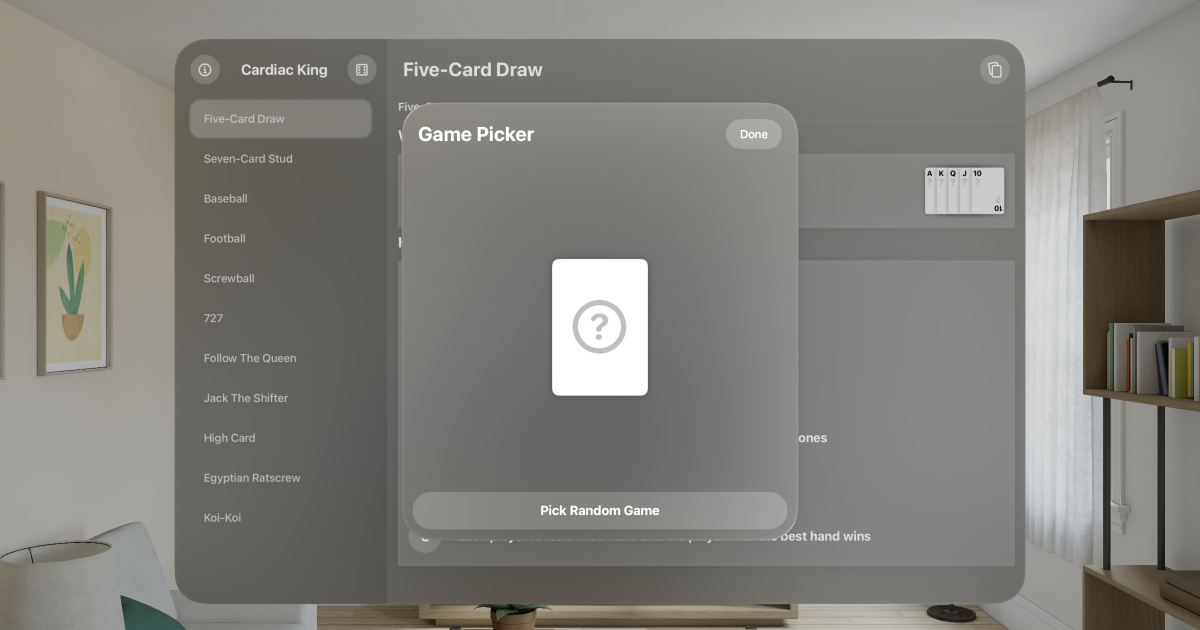
visionOS testing is a bit more difficult because I don’t own an Apple Vision Pro, so I have to rely exclusively on the simulator. This can be slow and has some limitations, but for the current feature set, suffices. I would like to try Cardiac King on real visionOS hardware just to see how practical playing poker is with an Apple Vision Pro headset on.
Step Spacing
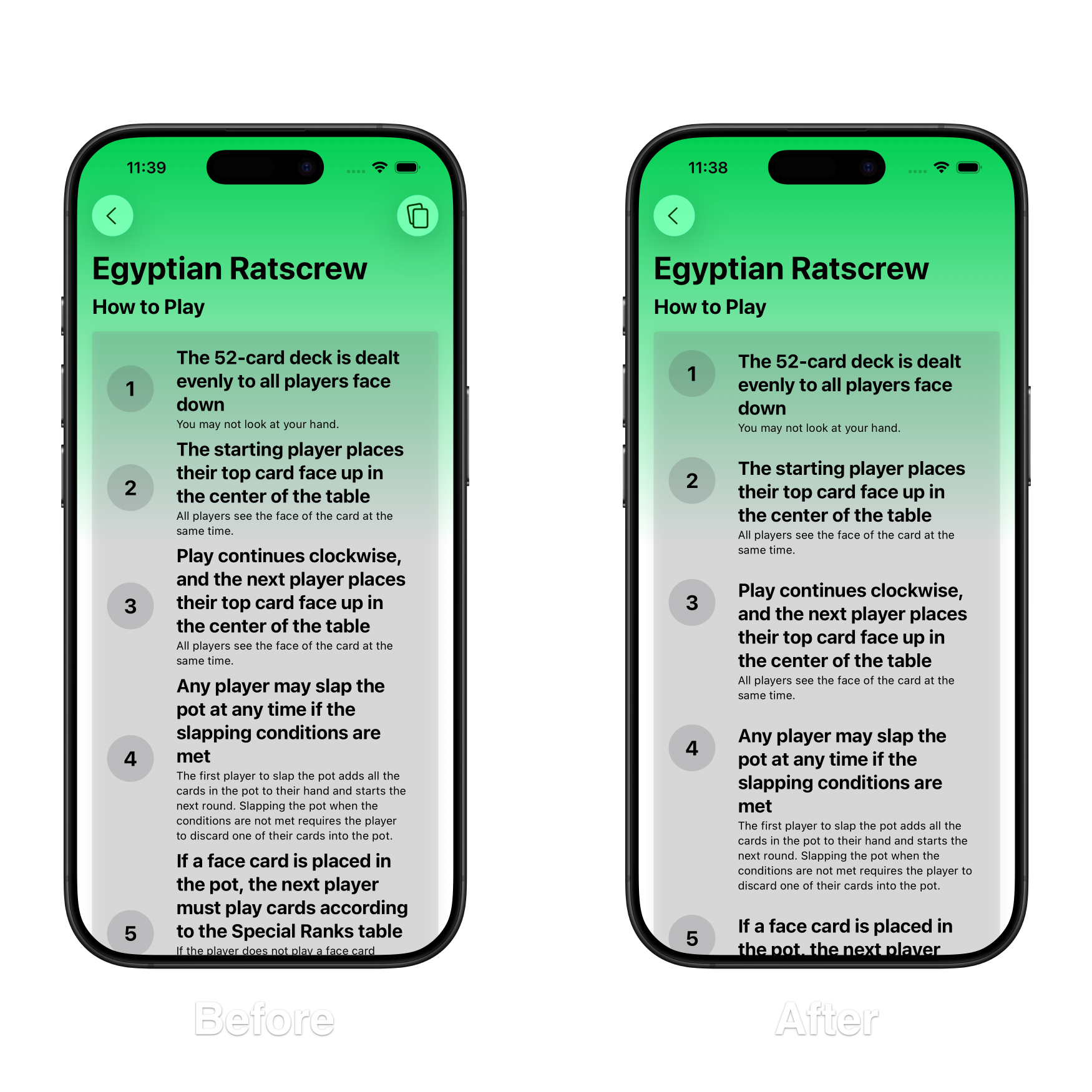
Once Egyptian Ratscrew was added to the lineup, a small issue was made much more noticeable. The step marker and the instructions themselves always attempt to align themselves vertically with each other, which becomes a problem with steps with lots of text. It makes it difficult to tell where one step ends and another begins. Egyptian Ratscrew was the first game to feature longer text, but Koi-Koi also exhibited this issue.
Originally, I anchored the step marker to the top of the shared view, but then steps with 1-2 lines of text suddenly looked off. Most of the steps in Cardiac King feature 1-2 lines of text, so a middle ground was needed. Using a GeometryReader, I was able to use the legacy alignment for steps with 1-2 lines of text, and the anchored alignment for anything longer.
Conclusion
That’s all for now, but I have plenty of other ideas to bring. I want to aim to release smaller, more frequent updates rather than bundling multiple features together, as it is easier to track for one developer. That said, the past few updates have included major refactors and bug fixes alongside other features. The codebase is a lot more mature than it was at version 1.0, which hopefully paves the way for smoother development.
Cardiac King is available on the Apple App Store.